Public Member Functions | |
| RobotController (config::sController controllerParam, config::sRobot robotParam, b2Body *terrain, double m_to_px=0) | |
| void | addRobot (Robot *robot) |
| bool | checkGrabbed (Robot &robot) |
| void | create (config::sController controllerParam, config::sRobot robotParam, b2Body *terrain, double m_to_px=0) |
| void | createGripRobots (Robot &robot) |
| bool | createRobot (b2World *world, int delay, double posX, double posY, double angle=0) |
| void | destroyJoints (Robot &robot, side s) |
| void | drawRobots (sf::RenderWindow &window, double m_to_px) |
| void | findContactRobots (b2Contact *contact) |
| double | getDissolutionTime () |
| int | getNbActiveRobots () |
| int | getNbRobots (e_state s) |
| int | getNbRobotsBlocked () |
| Robot * | getRobot (int pos_id) |
| Robot * | getRobotWithId (int id) |
| double | getStabilizationTime () |
| void | invertMovingWheel (Robot &robot) |
| bool | isBridgeDissolved () |
| bool | isBridgeStable () |
| void | removeRobot () |
| void | robotOut (double end_x, int id) |
| bool | robotPushing (Robot &r) |
| bool | robotStacking (Robot *r, float posX) |
| void | setBridgeStability (bool stable) |
| void | setNbRobots (int nb_robots) |
| void | setRobotState (Robot &robot, e_state robotState) |
| void | setScale (double m_to_px) |
| void | step (double end_x) |
| void | wait_delay (Robot &robot) |
Public Attributes | |
| bool | m_bridgeEntry = false |
Detailed Description
Definition at line 16 of file RobotController.h.
Member Function Documentation
◆ addRobot()
| void RobotController::addRobot | ( | Robot * | robot | ) |
Add a robot to the controller after the robot has been created. A better solution to add a robot to the simulation should be to create directly a new robot from the controller method using the createRobot method.
- Parameters
-
robot is a pointer on a newly created robot object.
Definition at line 343 of file RobotController.cpp.
◆ checkGrabbed()
| bool RobotController::checkGrabbed | ( | Robot & | robot | ) |
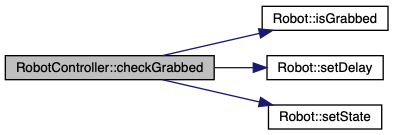
Check if the robot is grabbed by any other robot of the controller
- Parameters
-
robot is the robot to be tested
- Returns
- true if the robot is grabbed, false otherwise
Definition at line 402 of file RobotController.cpp.

◆ createGripRobots()
| void RobotController::createGripRobots | ( | Robot & | robot | ) |
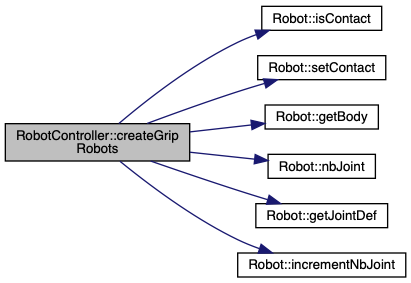
Takes the robot as parameter and create a new grip in the box2D world if the robot.isContact() is true
- Parameters
-
robot generally from the m_robotVector of the controller Robot::m_previousGripJoint and Robot::m_currentGripJoint for contacted robots Robot::m_contact by setting it to false once the joint has been created
Definition at line 296 of file RobotController.cpp.

◆ createRobot()
| bool RobotController::createRobot | ( | b2World * | world, |
| int | delay, | ||
| double | posX, | ||
| double | posY, | ||
| double | angle = 0 |
||
| ) |
The function create a new robot object and add it to the m_robotVector
- Parameters
-
world pointer on the box2D world object posX initial x position of the robot in meters posY initial y position of the robot in meters angle initial angle of the robot in rad delay number of iteration before the robot is able to move for the first time
- Returns
- true if the robot has been created and added to m_robotVector, false otherwise
Definition at line 78 of file RobotController.cpp.

◆ destroyJoints()
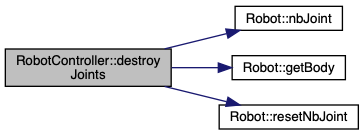
Remove from the world and destroy a given Box2D joint. This joint is one of a robot gripper
- Parameters
-
s is either LEFT or RIGHT Robot::m_previousGripJoint and Robot::m_currentGripJoint
Definition at line 389 of file RobotController.cpp.
◆ drawRobots()
| void RobotController::drawRobots | ( | sf::RenderWindow & | window, |
| double | m_to_px | ||
| ) |
The function draws all the robots of the Robot controller on the SFML window
- Parameters
-
window is the SFML window m_to_px is the conversion factor from m to pixels, it is generally obtained via the terrain
Definition at line 119 of file RobotController.cpp.

◆ findContactRobots()
| void RobotController::findContactRobots | ( | b2Contact * | contact | ) |
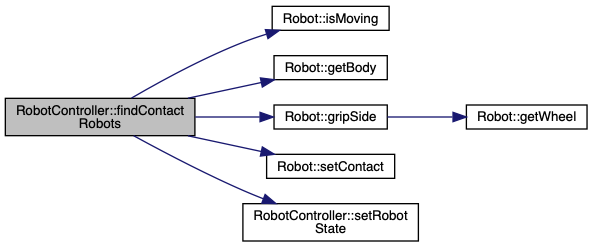
This is the function used in the contactListener. It determines if a contact must lead to a grip creation, call the Robot::gripSide(b2Contact* contact, b2Body* otherBody, double m_to_px) when a grip has to be created
- Parameters
-
contact is the Box2D contact object Robot::m_state for contacted robots Robot::m_leftGripJointDef or Robot::m_rightGripJointDef for future gripping robots Robot::m_contact for future gripping robots
Definition at line 128 of file RobotController.cpp.
◆ getDissolutionTime()
| double RobotController::getDissolutionTime | ( | ) |
Get the time required to obtain the dissolution of the bridge. The dissolution is reached when no more robots are in the bridge state
- Returns
- the simulated time to reach the dissolution
Definition at line 432 of file RobotController.cpp.
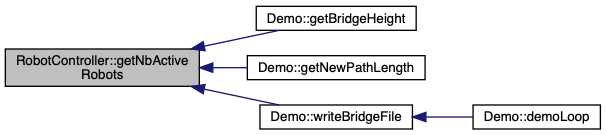
◆ getNbActiveRobots()
| int RobotController::getNbActiveRobots | ( | ) |
Get the number of active robots of the robotController. ie the number of robots in the world window
- Returns
- the number of active robots
Definition at line 552 of file RobotController.cpp.
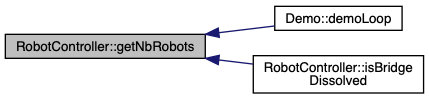
◆ getNbRobots()
| int RobotController::getNbRobots | ( | e_state | s | ) |
Get the number of robots of the robotController under a certain state
- Parameters
-
s is the considered state, can be either BRIDGE or WALK
- Returns
- the number of robot in this given state
Definition at line 542 of file RobotController.cpp.
◆ getNbRobotsBlocked()
| int RobotController::getNbRobotsBlocked | ( | ) |
Get the number of robot still active at the end of the simulation
- Returns
- the number of robots still active at the time of the function call.
Definition at line 556 of file RobotController.cpp.
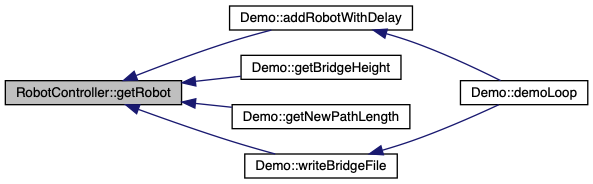
◆ getRobot()
| Robot * RobotController::getRobot | ( | int | pos_id | ) |
- Parameters
-
pos_id the robot position in the m_robotVector Robot vector containing all the robots belonging to the RobotController. The pos_id starts at 0 Be careful pos_id does not necessarily match the robot id
- Returns
- a pointer on the robot object
Definition at line 98 of file RobotController.cpp.
◆ getRobotWithId()
| Robot * RobotController::getRobotWithId | ( | int | id | ) |
- Parameters
-
id is the robot unique id Be careful, it does not necessarily match the robot position within the robots' vector. @ return a pointer on the robot object
Definition at line 110 of file RobotController.cpp.

◆ getStabilizationTime()
| double RobotController::getStabilizationTime | ( | ) |
Get the time required to obtain a stable bridge. A stable bridge is reached when the stability condition is reached. This condition is expressed as a duration defined by m_controllerParam.stability_condition during which no more robots enter the bridge state. This duration can be changed in the main file or as a parameter in the simulation launch.
- Returns
- the simulated time to reach stability
Definition at line 428 of file RobotController.cpp.
◆ invertMovingWheel()
| void RobotController::invertMovingWheel | ( | Robot & | robot | ) |
Invert the moving side of the robot
- Parameters
-
robot is the Robot object Robot::m_movingSide: become LEFT if it was RIGHT and vice versa
Definition at line 379 of file RobotController.cpp.
◆ isBridgeDissolved()
| bool RobotController::isBridgeDissolved | ( | ) |
Check if the bridge has been dissolved. We consider that the dissolution is reached if only one robot remains in the simulation.
- Returns
- true if the dissolution of the bridge is obtained, false otherwise
Definition at line 420 of file RobotController.cpp.

◆ isBridgeStable()
| bool RobotController::isBridgeStable | ( | ) |
Check if a stable bridge has been obtained. To do so, we compare the time the last robot entered the bridge with the stability condition. The time the last robot has been obtained is stocked inside m_stableTime. m_stableTime is updated everytime a robot enter the bridge state via a call of the function setRobotState(Robot& robot, e_state robotState);
- Returns
- true if a stable bridge is obtained, false otherwise
Definition at line 411 of file RobotController.cpp.

◆ removeRobot()
| void RobotController::removeRobot | ( | ) |
Remove robots from the controller and call its destructor. The robots that are destroyed using this method are the ones whose id has been copied inside the m_robotToDestroy vector. at the end all the robots whose id is in the m_robotToDestroy vector are destroyed and this vector is emptied
Definition at line 347 of file RobotController.cpp.

◆ robotOut()
| void RobotController::robotOut | ( | double | end_x, |
| int | id | ||
| ) |
Check if a robot with a given unique id is outside the world. If it is the robot id is copied into the m_robotToDestroy vector to be destroyed at the next call of the removeRobot() method
- Parameters
-
end_x corresponds to the end of the world id is the unique id of the robot, can be obtained with robot.getID()
Definition at line 371 of file RobotController.cpp.
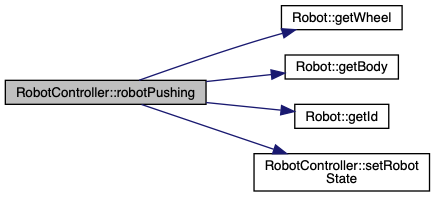
◆ robotPushing()
| bool RobotController::robotPushing | ( | Robot & | r | ) |
Determine if a robot is pushing after the pushing delay has been reached by determining if the robot is touching another object. This contact has to be on the moving side. This is checked by calling the function Robot::contactOnGripSide(b2Contact* contact). In addition, the robot must have run a higher angle than m_angle_min to avoid gripping the exact previous position
- Parameters
-
r is the Robot to be checked when its delay corresponds to the pushing_delay, if no direct joint has been created Robot::m_delay, Robot::m_contact, Robot::m_leftGripJointDef, Robot::m_rightGripJointDef
- Returns
- true if the robot is pushing, false otherwise
Definition at line 494 of file RobotController.cpp.
◆ robotStacking()
| bool RobotController::robotStacking | ( | Robot * | r, |
| float | posX | ||
| ) |
This function is used to help determine if the robots are stacking. It is called when a new robot will be created to check if the previous robot is too close to the new robot. The previous robot is too close when it is located before the given position posX + one bodyLength unit.
- Parameters
-
r is the Robot to be checked posX is the superior limit of the position one wants to check
- Returns
- true if the robot is located before posX, false otherwise
Definition at line 532 of file RobotController.cpp.


◆ setBridgeStability()
| void RobotController::setBridgeStability | ( | bool | stable | ) |
Change the bridge stability flag value.
- Parameters
-
stable is either true if the stability has been reached or false m_isStable
Definition at line 539 of file RobotController.cpp.

◆ setNbRobots()
| void RobotController::setNbRobots | ( | int | nb_robots | ) |
Set the maximum number of robots that can be active at the same time in the simulation window. It is used to limit the size of the m_robotVector.
- Parameters
-
nb_robots is the maximum number of robot that can be existing at the same time.
Definition at line 69 of file RobotController.cpp.
◆ setRobotState()
Function used to set the state of a specific robot
- Parameters
-
robot is the Robot object robotState can be either WALK or BRIDGE Robot::m_moving, Robot::m_state, Robot::m_contact and Robot::m_delay
Definition at line 230 of file RobotController.cpp.

◆ setScale()
| void RobotController::setScale | ( | double | m_to_px | ) |
Set the scale to do the conversion from real dimensions (m) to simulated ones (pixels). Ususlly the scale is obtained from the terrain with the Terrain::getScale() method.
- Parameters
-
m_to_px is the conversion factor from meters to pixels
Definition at line 74 of file RobotController.cpp.
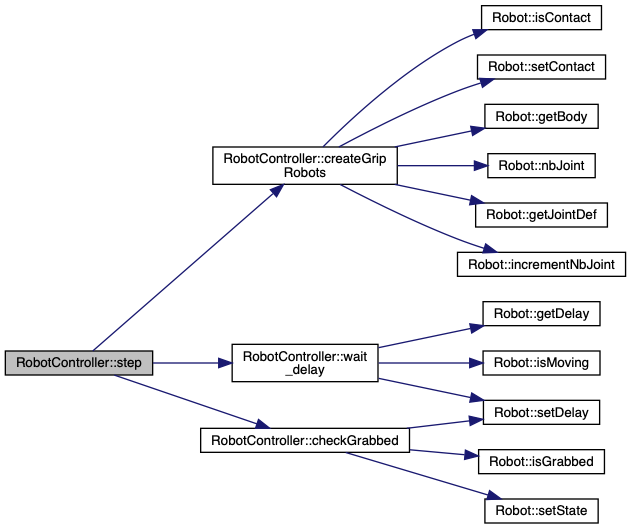
◆ step()
| void RobotController::step | ( | double | end_x | ) |
Run a step of the simulation.
- Parameters
-
end_x is the position of the end of the simulation world it generally correspond to the end of the window. above this position the robot is destroyed.
Definition at line 436 of file RobotController.cpp.

◆ wait_delay()
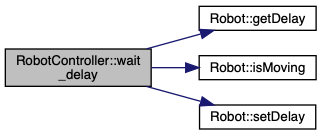
| void RobotController::wait_delay | ( | Robot & | robot | ) |
Handle the waiting delay of the robots by decreasing it at each world step. When the delay is null, the robot.m_ready state is set to true
- Parameters
-
robot generally from the m_robotVector of the controller Robot::m_ready is set to true when Robot::m_delay is null Robot::m_delay is decreased otherwise
Definition at line 328 of file RobotController.cpp.

Member Data Documentation
◆ m_bridgeEntry
| bool RobotController::m_bridgeEntry = false |
Flag used to notify when a new robot enter the bridge state. It is used to write a new entry in the bridge file. It is set to false once the bridge file have been updated (in the demo.cpp file).
Definition at line 243 of file RobotController.h.
The documentation for this class was generated from the following files: